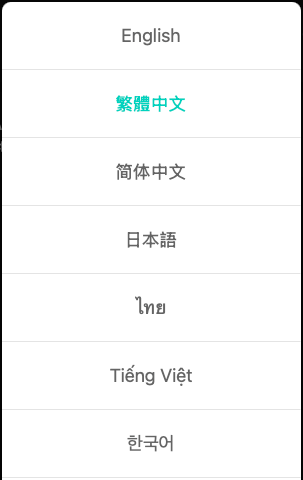
You can change SWAG’s display language based on the device you are using. The menu location is slightly different on mobile and desktop:
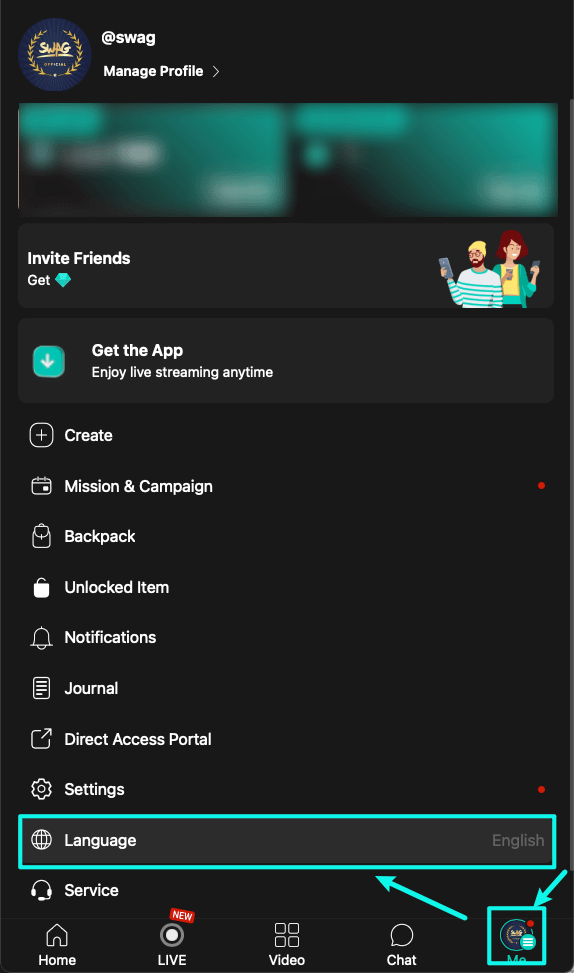
Mobile Version
Tap 【Profile】 in the lower-right corner.
When the menu opens, tap 【Language】 at the bottom to switch languages.
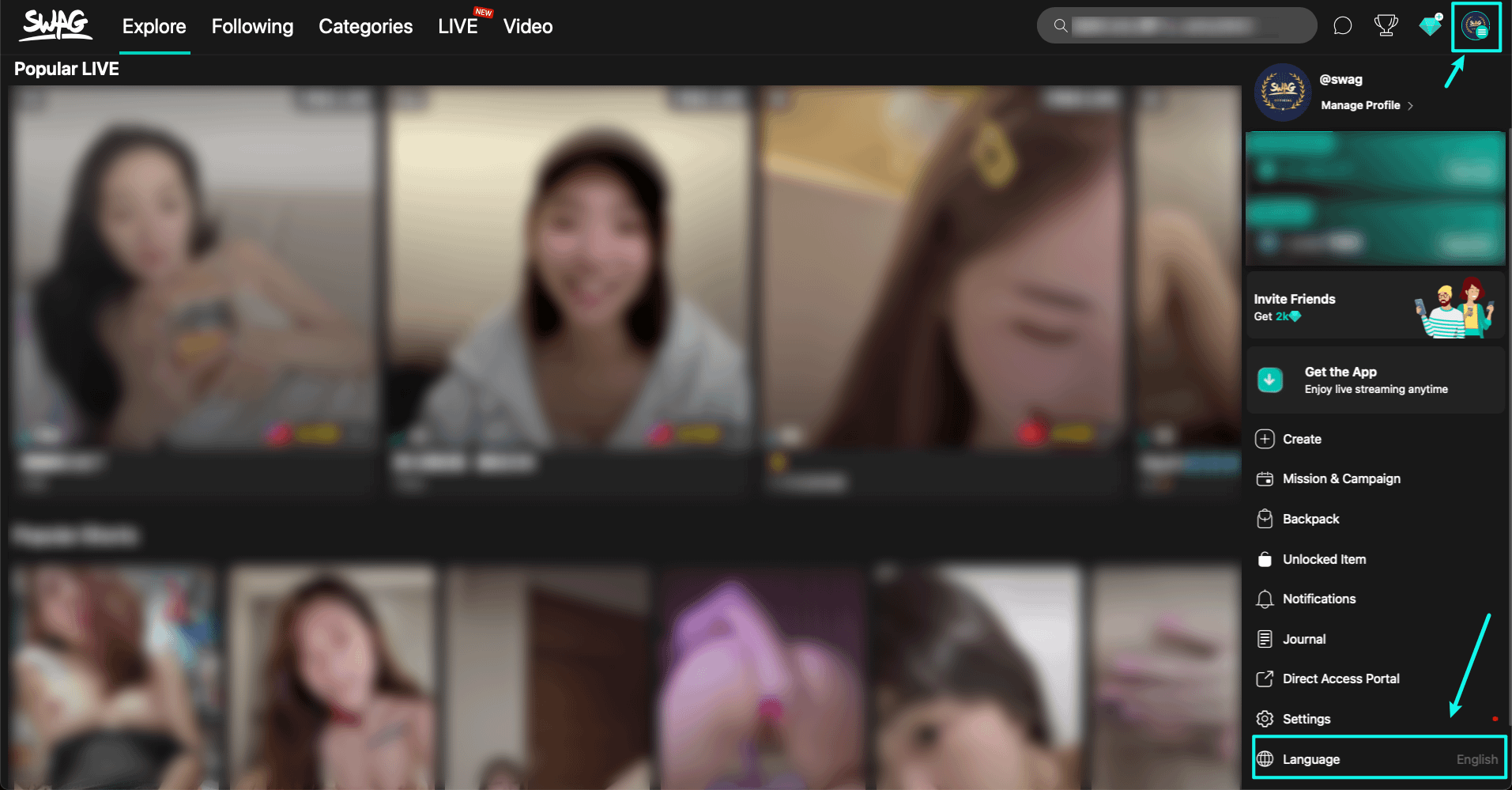
Desktop Version
Click 【Account】 in the upper-right corner.
When the menu opens, click 【Language】 at the bottom to switch languages.
💡 Supported languages currently include English, Traditional Chinese, Simplified Chinese, Japanese, Korean, and more.