Boost Your Exposure & Earn More Revenue!
Want to make sure your fans never miss your latest content?
Whether it’s a photo, Story, Short Video, or long video, any published content can be shared directly to a chat room using the steps below. Keep your fans engaged and increase your unlocks and earnings!
🚀 How to Share Content to Chat
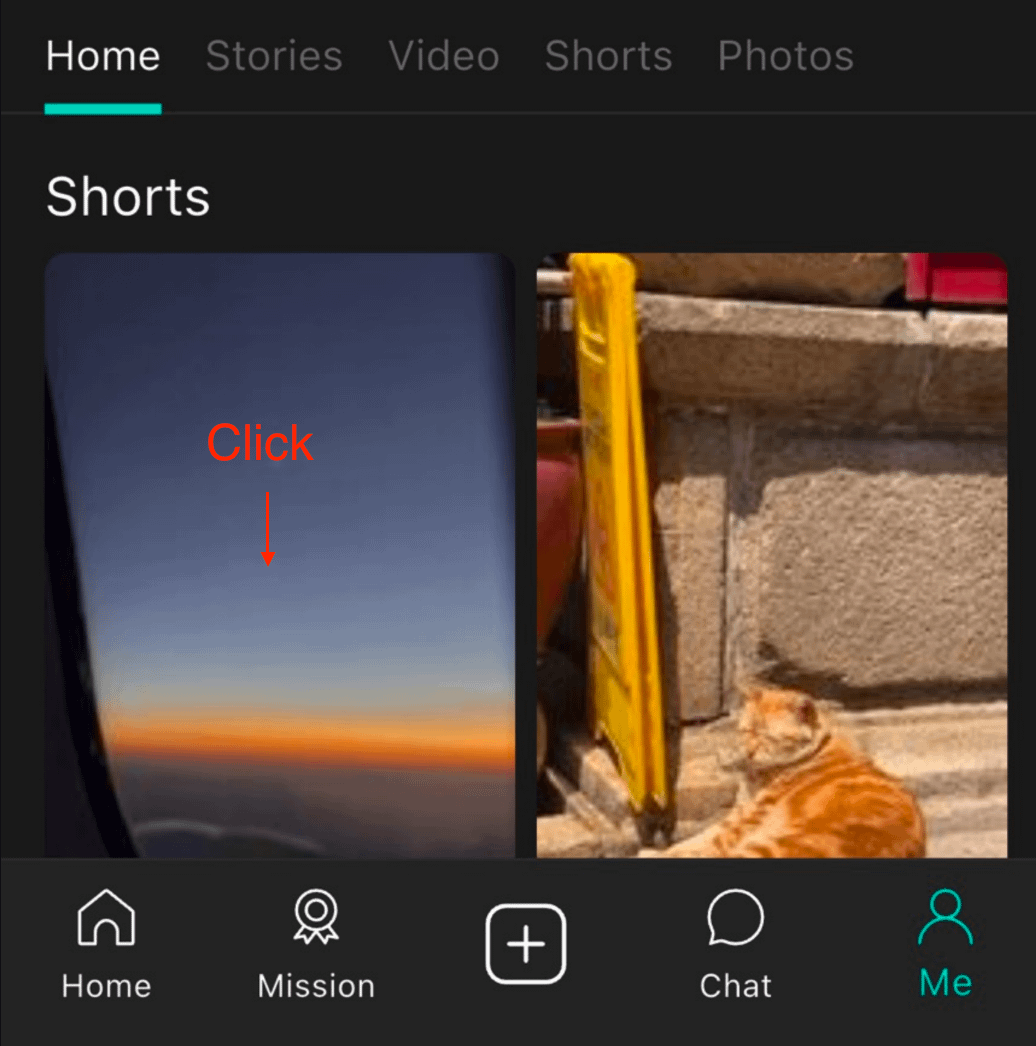
Select Content: Go to your Profile, then press and hold or tap the photo, video, or Story you want to send.
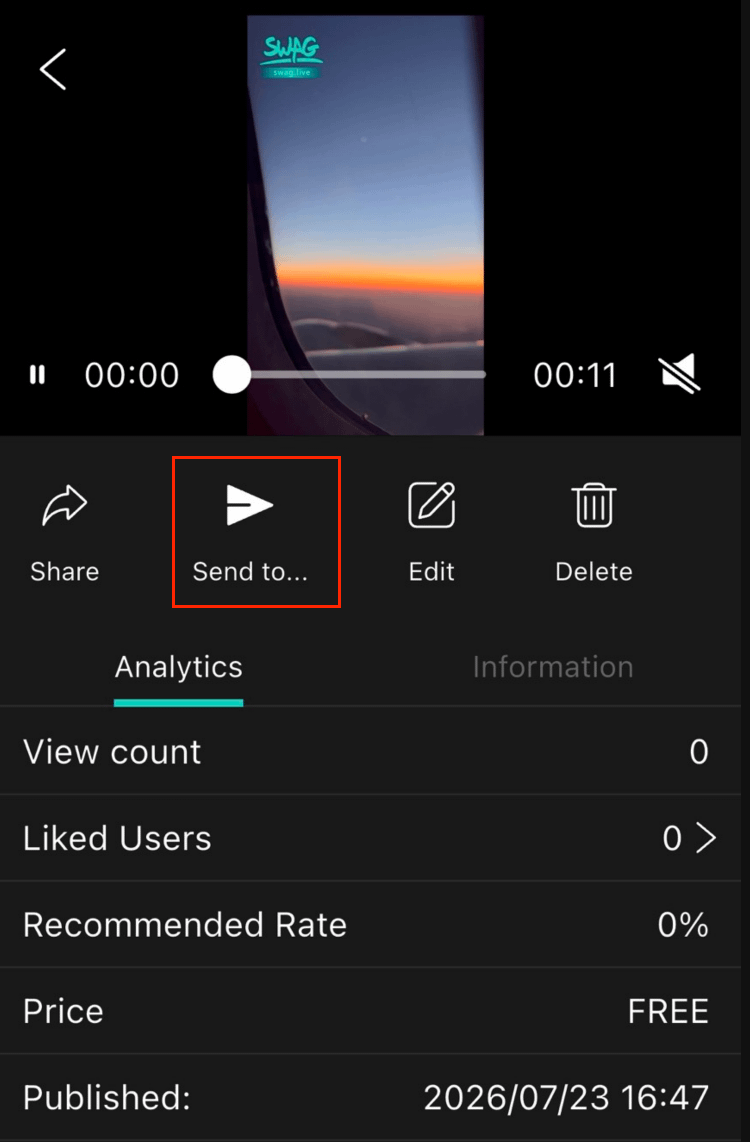
Open Share Menu: Tap the "Share with..." "Send to..."button from the pop-up menu.
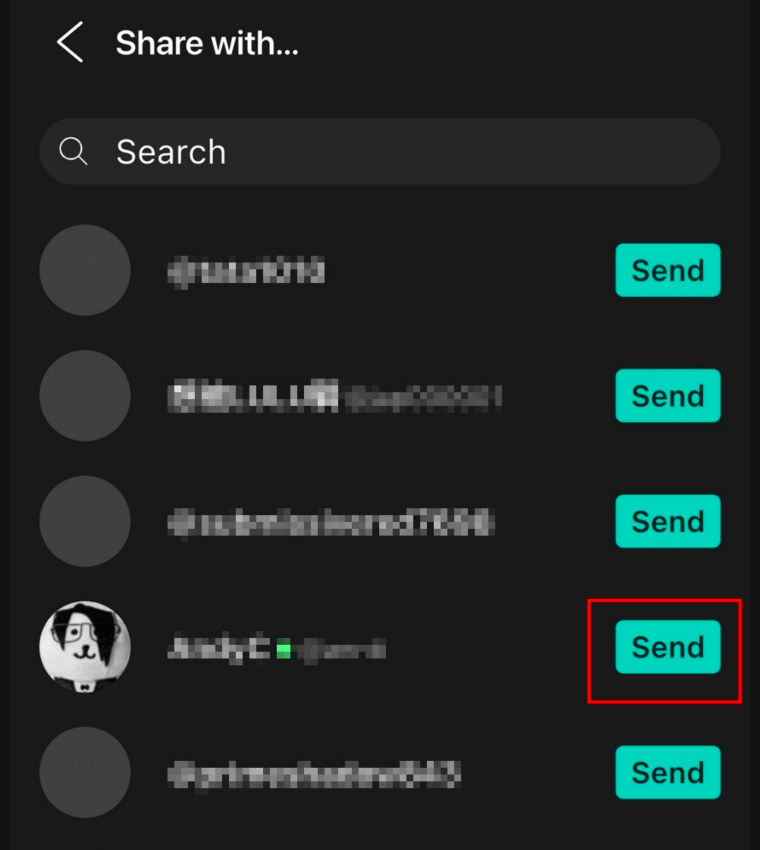
Send to User: Find the fan in your contact list and tap "Send" next to their name to complete the share!