Making good use of Direct Messages (DMs) is not only key to building deep relationships with your fans, but also essential for generating stable revenue!
💰 DM Revenue Sources
In DM chat rooms, you can earn revenue through the following ways:
* Every message sent by a fan (requires setting up Reply Diamonds)
* Gifts received in the chat room
* Paid media content sent in the chat room that gets unlocked
---
⚙️ Diamond & Media Settings
1. Reply Diamond Settings
📢 Before sending messages, please make sure you have set up your Chat Diamonds!
* Path: Open the Moor App ➔ Go to Profile ➔ Tap the Settings (Gear icon) in the top right ➔ Reply Diamonds.
* Diamond Range: Can be set from 0 to 10,000 Diamonds.
💡 *Tip**: For your first setup, we recommend starting at 500 Diamonds and adjusting flexibly based on fan engagement later! ❤️
2. DM Media Upload Specifications
* File Size: Maximum capacity of 8 GB per file.
* Video Duration: Supports videos from 3 seconds to 1 hour.
* Batch Sending: DM chat rooms support sending up to 10 media files at once, allowing you to efficiently share your daily life!
---
💌 Proactively Message Fans to Spark Engagement
You can proactively message fans who follow you!
When a fan follows you but hasn't started interacting, or hasn't replied for a while, feel free to reach out and share exciting content. It’s a great way to bond while earning extra revenue.
🚀 How to Proactively Message Fans
1. Open the Moor App and tap the "Chat" button at the bottom.
2. Tap the "Pencil" icon in the top right corner.
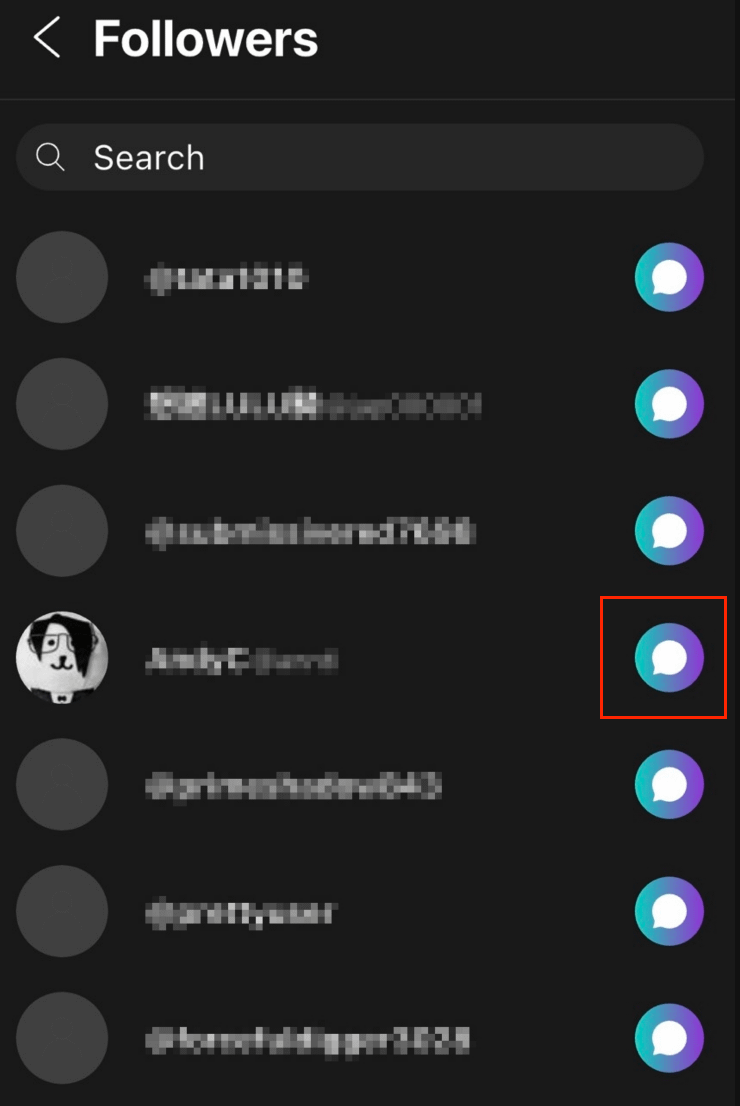
3. In the "Followers" tab, you can view all users who follow you.
4. Tap the "Chat" button to the right of the user to enter the chat room and start messaging!
---
📌 Pinning Chat Rooms: Never Miss an Important Message!
Worried about missing messages from VIP fans due to a crowded inbox? Pin specific fan chat rooms to stay updated right away!
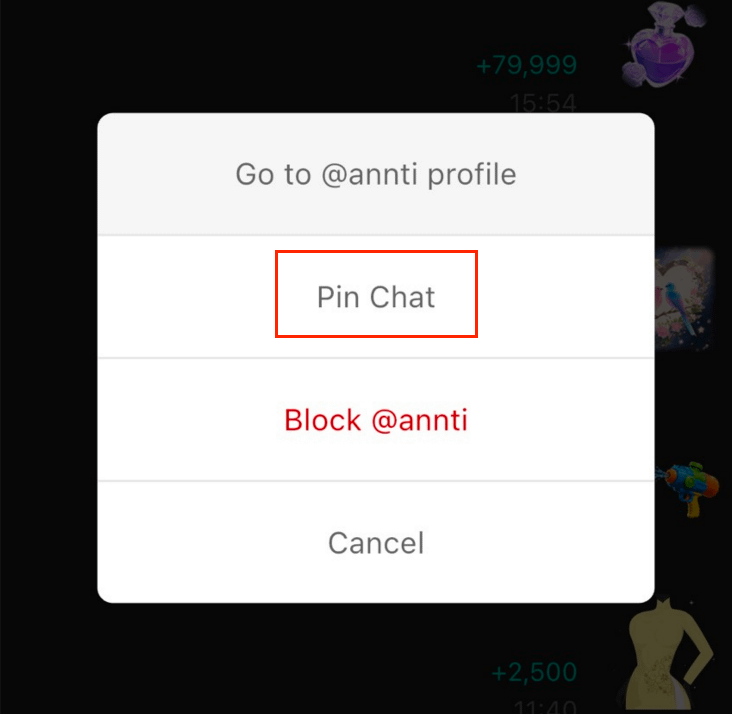
🚀 How to Pin a Chat Room
1. Open the chat window with your target user.
2. Tap the "..." (More) button in the top right corner.
3. Tap "Add to Favorites" to pin the chat room to the top of your list! (To unpin, simply follow the same steps.)