
Want to get more eyes on your top-quality photos, videos, or hit Stories?
When you have a Story that’s performing exceptionally well and getting great feedback, but its 48-hour limit is running out, simply use the "Pin feature"!
Pining keeps it right on your profile page, making it easy for new fans to explore your best work while earning you continuous revenue!
🚀 How to Pin Content: Step-by-Step
Select Content: Go to your profile, find the photo, video, or Story you want to pin, and press and hold the content.
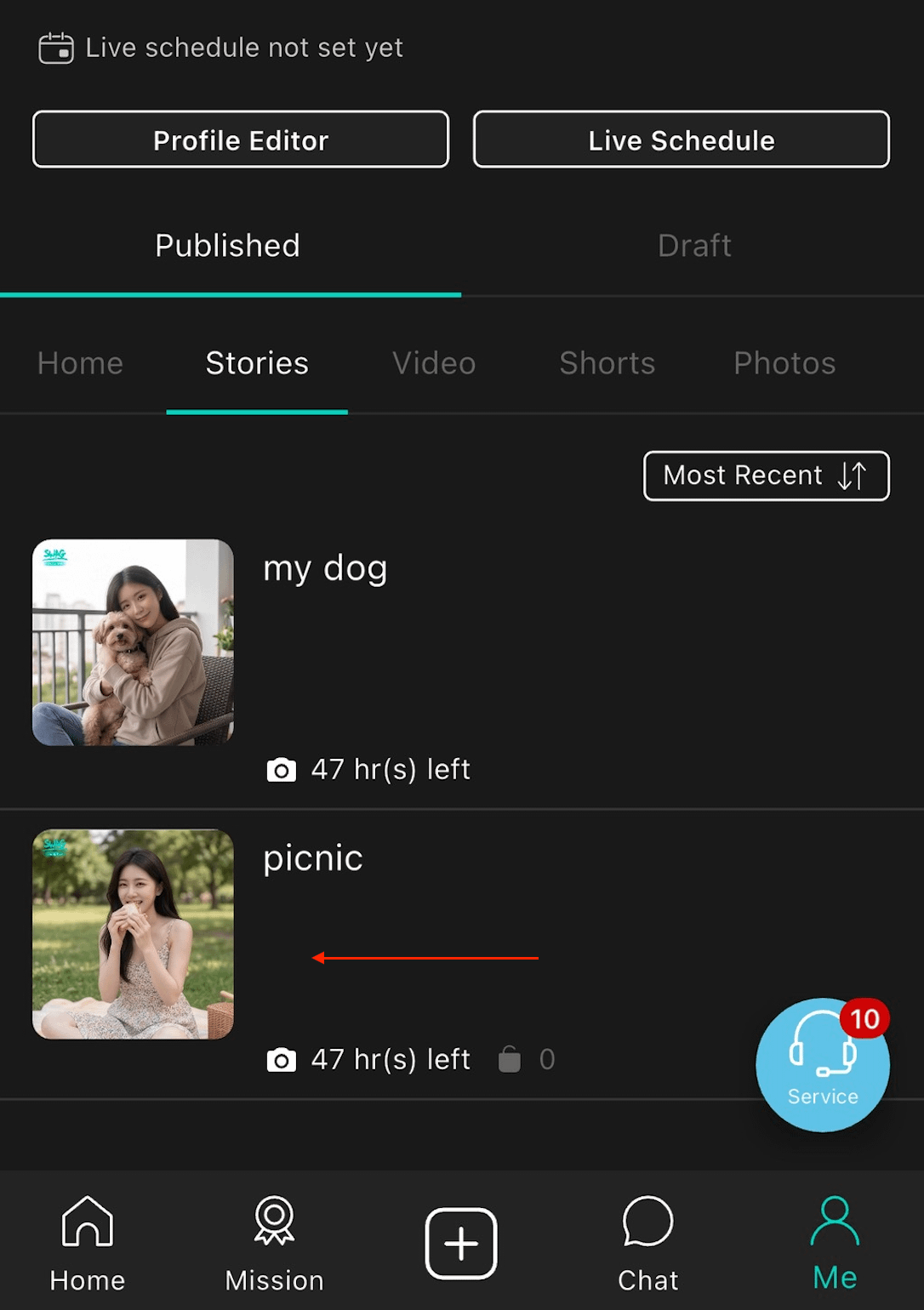
Open Menu & Pin: A pop-up menu will appear. Tap "Pin to Profile" to successfully feature the content at the top of your profile page!
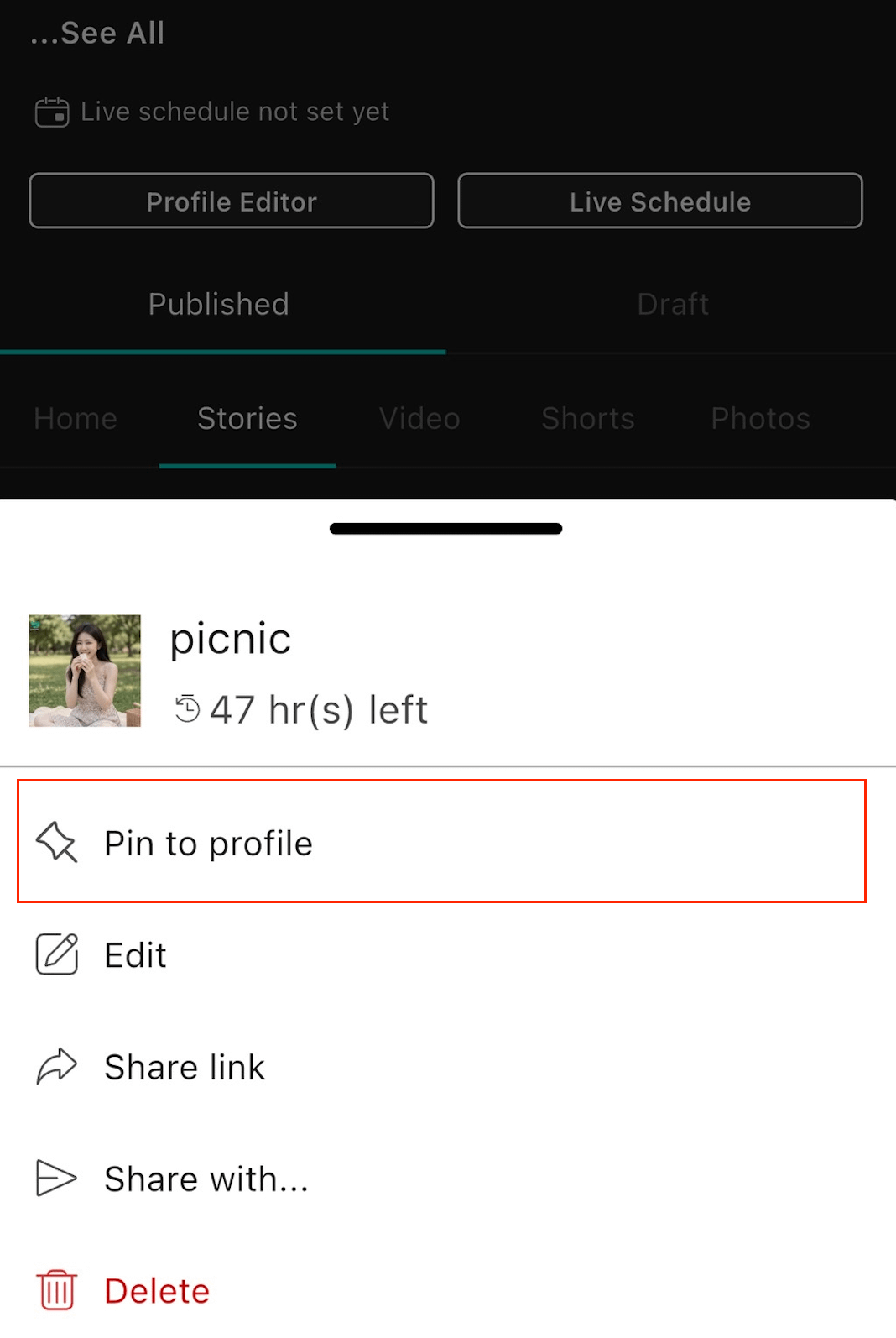
⚠️ Important Rules for Pinning
Pin Limit: You can only pin one piece of content at a time on your profile.
Auto-Replacement: If you already have a pinned item, pinning a new piece of content will automatically unpin the previous one.
Expired Stories Warning: If the pinned content is a Story that has already passed its 48-hour mark, unpinning it will cause it to permanently disappear immediately. It cannot be pinned again, so please double-check before making changes!
Short Videos: Please note that Short Videos do not support the Pin feature.