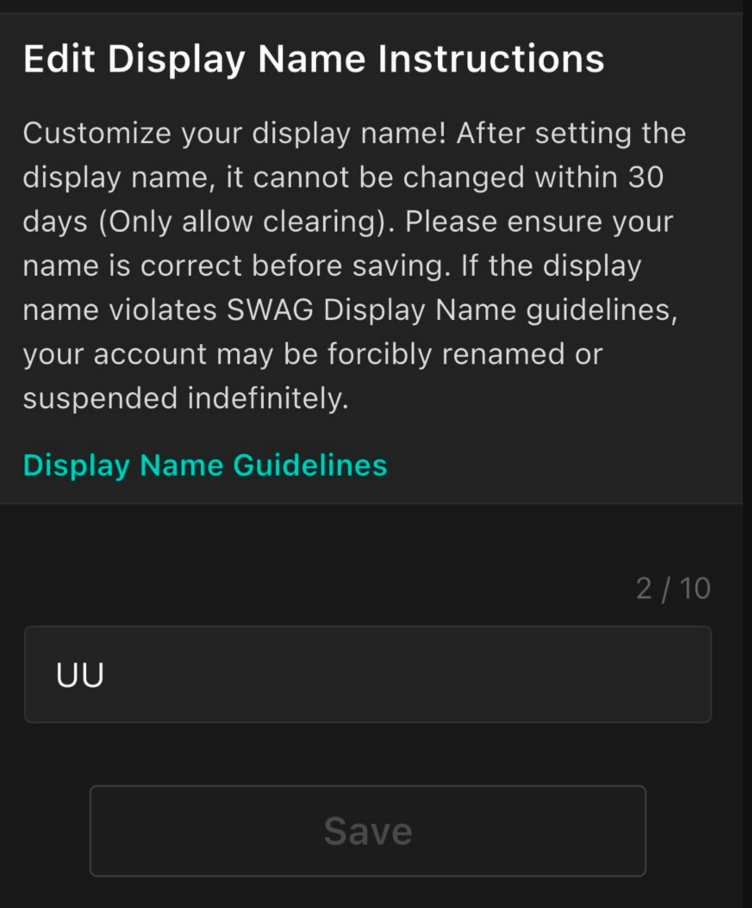
Setting an eye-catching and memorable nickname helps fans recognize you easily and builds better engagement!
1. Nickname Setup Rules
Up to 10 characters.
Supports upper/lowercase English letters, numbers, Chinese, Japanese, and all international language characters and symbols.
Spaces between words are allowed (spaces at the beginning or end are not permitted).
Once saved, you must wait 30 days (resets at 00:00 on day 30) before changing it again.
2. Naming Guidelines & Restrictions
⚠️ Please Note: Nicknames containing the following content are strictly prohibited. Violators will be handled according to platform regulations:
Hate & Discriminatory Speech: No insinuations, public hate speech, or discriminatory language targeting individuals or specific identity groups (culture, race, gender, religion, politics, nationality, etc.), including homophones or alternative spellings.
Violence & Intimidation: No threatening words, violence, suicide, self-harm, or other intimidating language.
Impersonation: Do not pretend to be official staff, agency representatives, other creators, or currency dealers to prevent confusion or fraud.
Promotions & Advertisements: Commercial advertisements or promotional text without explicit platform authorization are prohibited.
Inappropriate & Illegal Content: Offensive terms, profanity, references to drugs, or any unlawful acts involving minors are prohibited.
Personal Information: Do not include personally identifiable information (e.g., phone numbers, addresses, social messaging handles).
3. Difference Between "Username" and "Nickname"
Item | Username | Nickname |
Primary Purpose | Used for account login; serves as a unique identity on the platform. | Displayed during interactions to help build your personal brand and memory points. |
Character Limit | English letters and numbers only. | Supports Chinese, English, Japanese, and symbols. |
Modification | Cannot be changed freely once created. | Can be changed once every 30 days (does not affect login or account data). |
4. Setup Steps
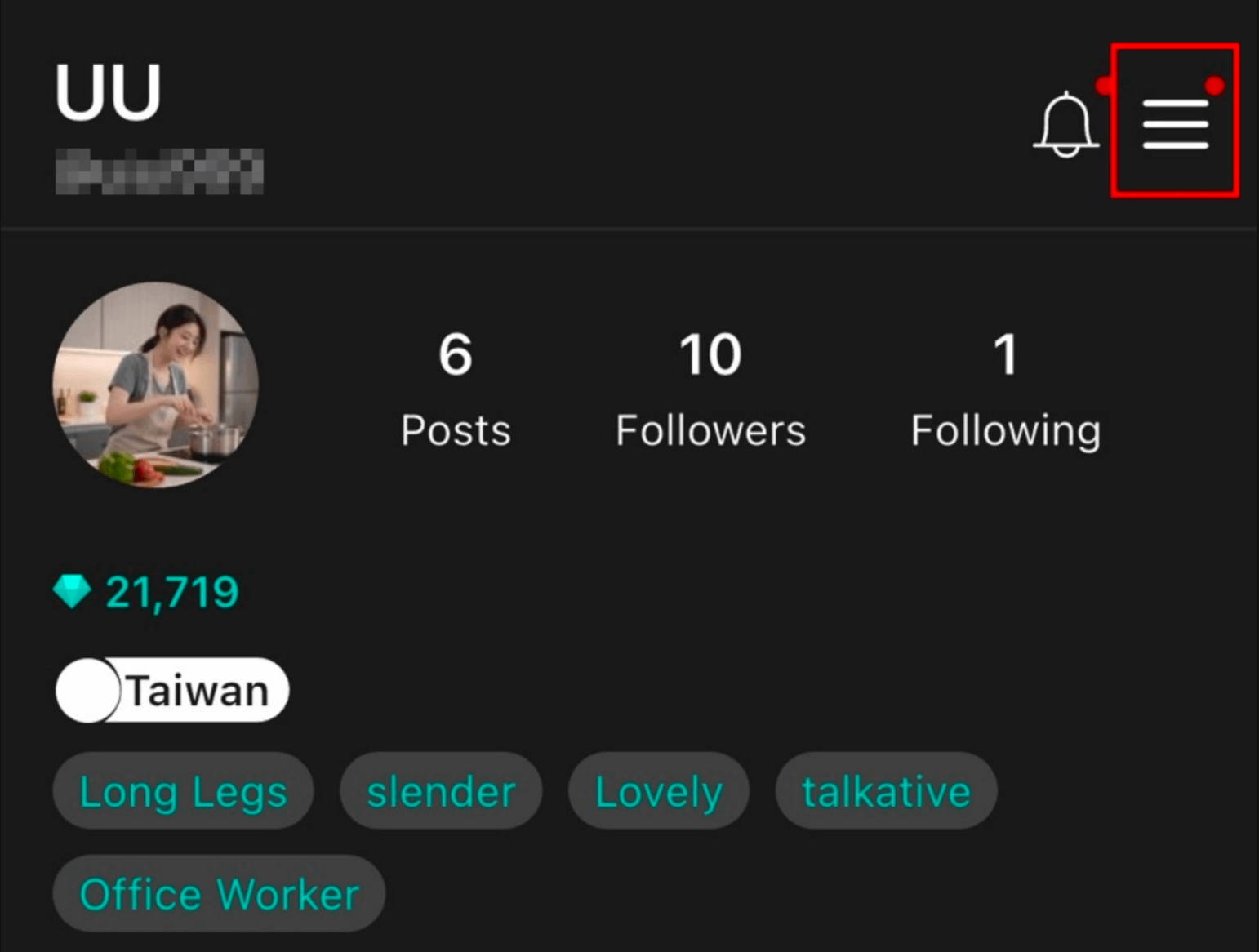
Go to the "Profile Center" page. Tap the "≡" (Menu) button in the upper right corner.
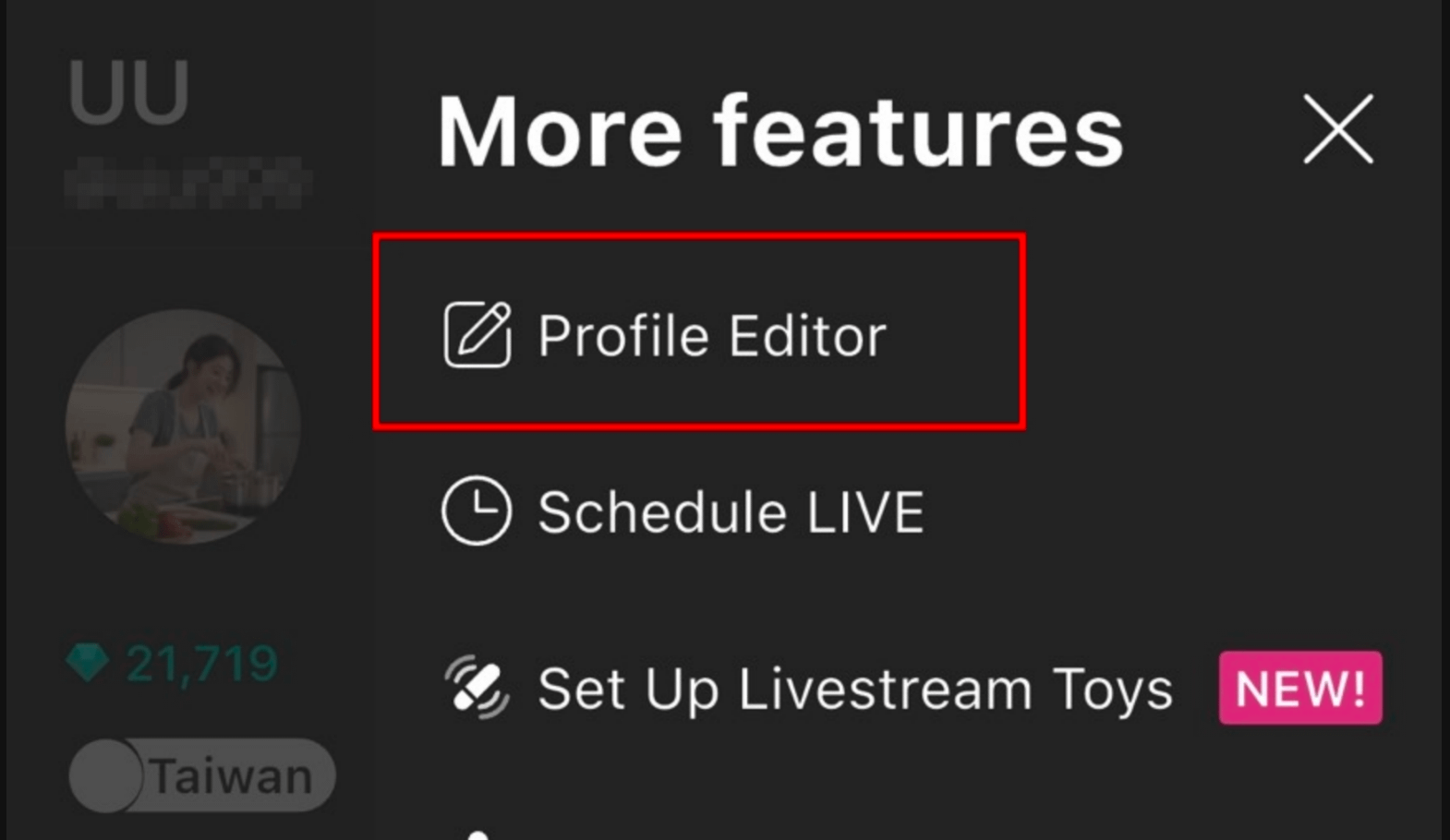
Tap "Profile Editor"
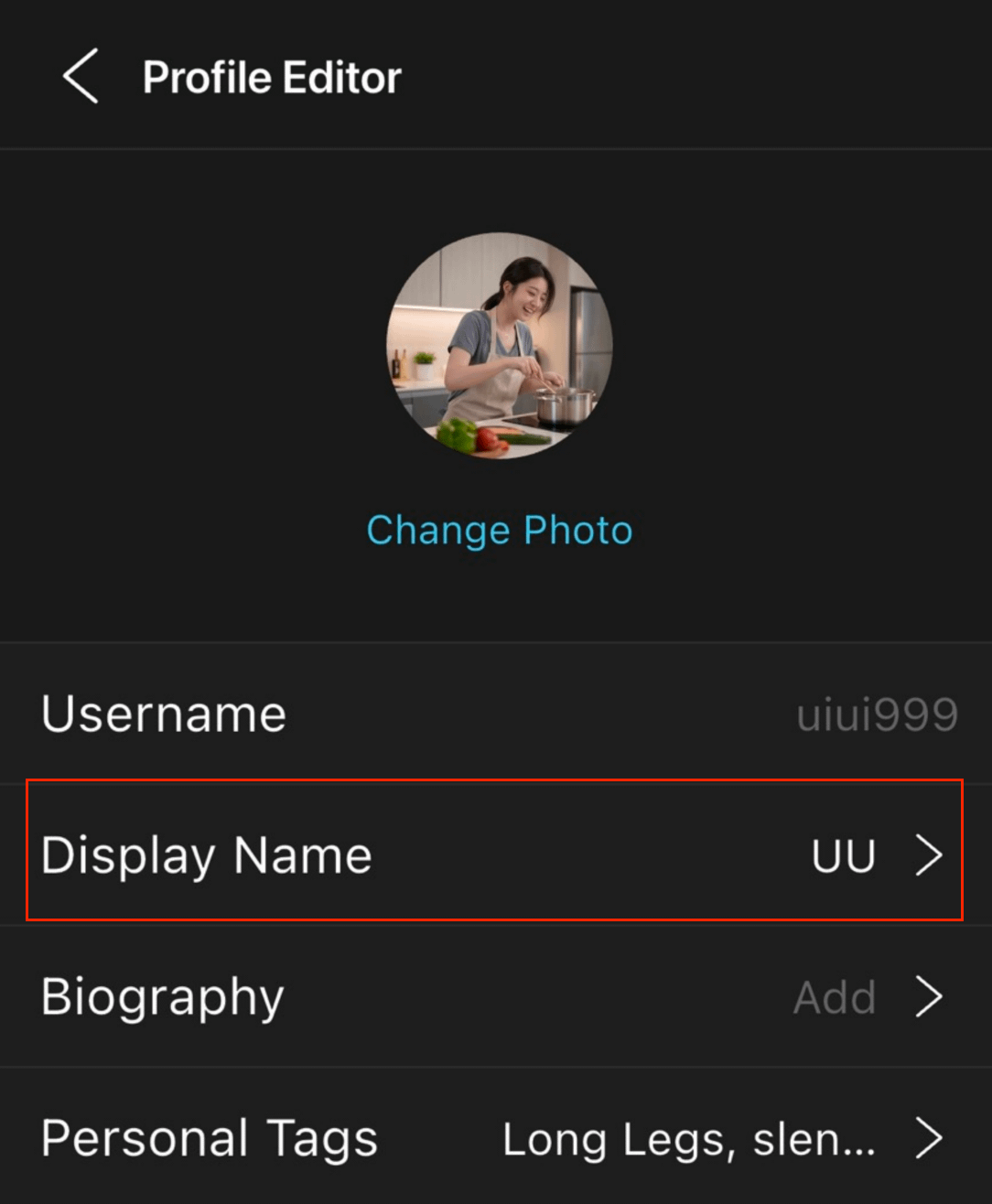
Tap "Display Name".
Enter your nickname and tap "Save" after double-checking.