
Setting up custom "Tease Commands" not only boosts fan engagement and hypes up your stream's atmosphere, but it is also a powerful tool to increase your revenue!
Streamers can flexibly adjust command content and pricing to match their personal streaming style.
Customizable Diamond Thresholds: Set prices from 100 to 5,000 Diamonds to match different fans' tipping preferences.
Personalized Command Names: Break away from default templates and create unique, branded commands.
Flexible On/Off Toggles: Turn specific commands on or off anytime based on your streaming situation.
Real-time Live Adjustments: Edit command details on the fly while streaming to adapt to live interaction.
⚙️ Setup Steps & Recommendations
You can configure your settings before officially launching your stream (or adjust them during the live stream from the exact same location!).
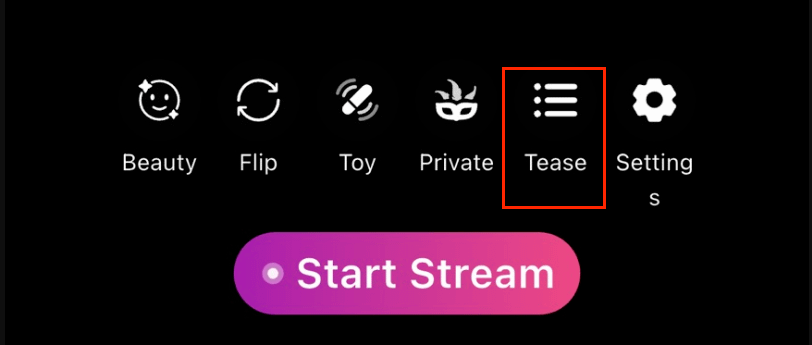
Access the Setup Menu: After creating a stream, tap the "Tease" button at the bottom of the Pre-Live page to open the configuration form.
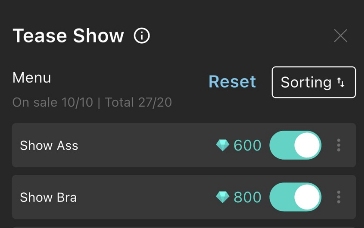
Select Commands: Default commands will appear on the screen. You can enable up to 10 commands at a time according to your needs, or choose to leave them off completely.
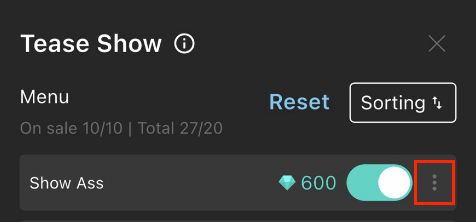
Customize Prompts: Tap the "..." icon next to a command to edit and customize the command text.
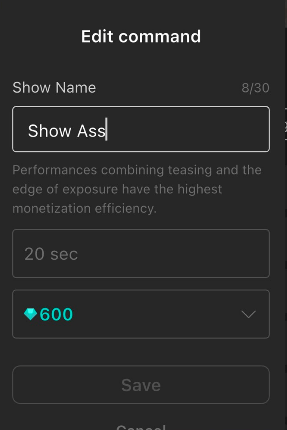
Edit Details & Pricing: Tap "Edit" to adjust the command name.
Commands default to a 20-second countdown—please perform and complete the requested action within these 20 seconds.
Diamond amounts can be set anywhere between 100 and 5,000 Diamonds.
⚠️ Important Reminders & Violation Terms
If an instruction contains a task that is impossible or inconvenient to perform, please be sure to uncheck that instruction.
Instructions default to 20 seconds; please perform the instruction content fully during these 20 seconds.
Users cannot trigger tease instructions while a Performance Show is in progress. Please stay fully focused on the show's title performance and execute instructions during other stream modes.
If a user reports an uncompleted instruction, the platform will directly deduct the diamond earnings from that transaction and issue a full refund to the user.