Spotted a typo or want to add extra details after posting?
Don’t worry! You can easily update your text anytime in just a few simple steps.
🚀 How to Edit Content: Step-by-Step
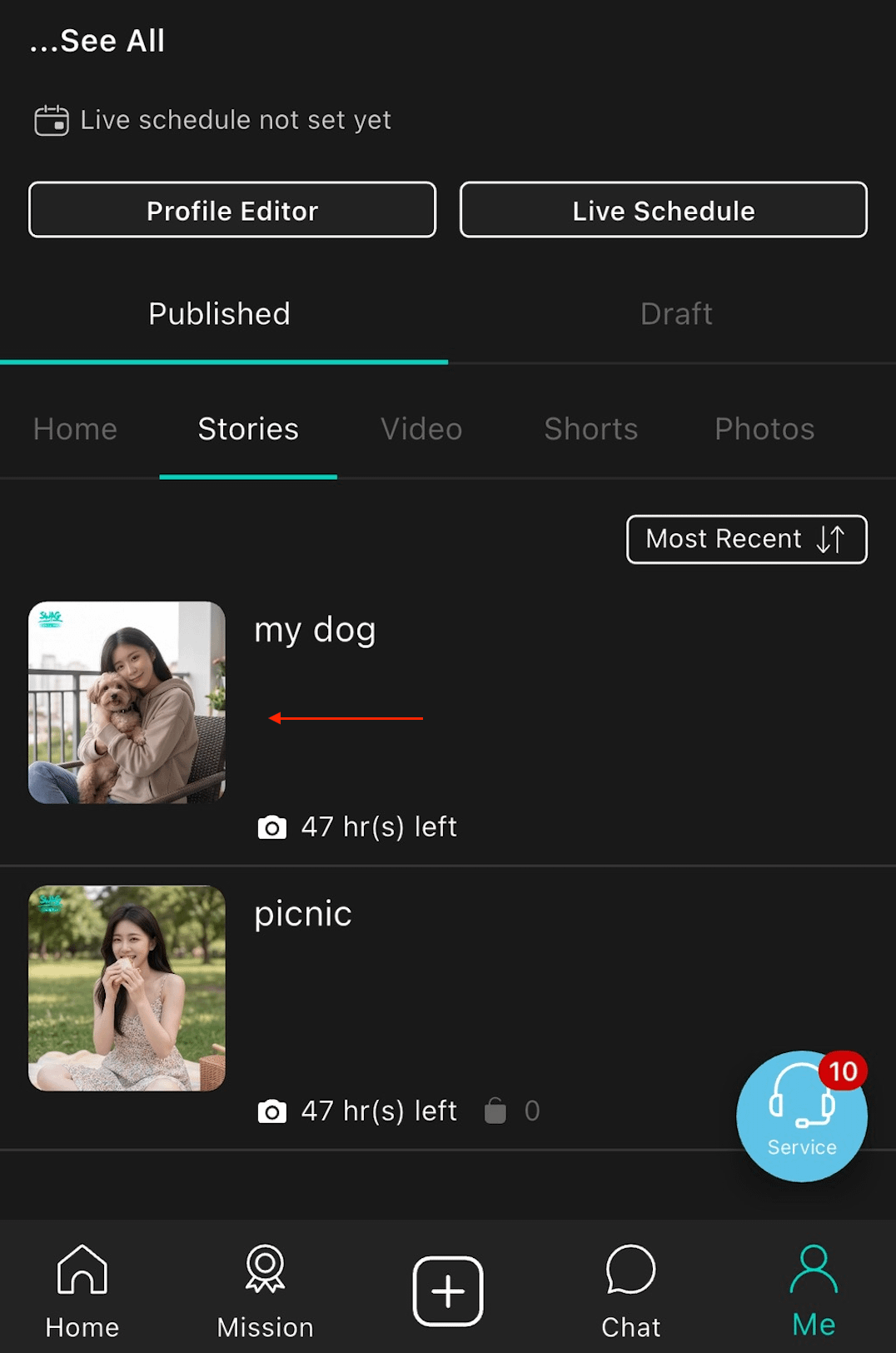
Select Content: Go to your Profile, find the item you wish to edit, and press and hold the content.
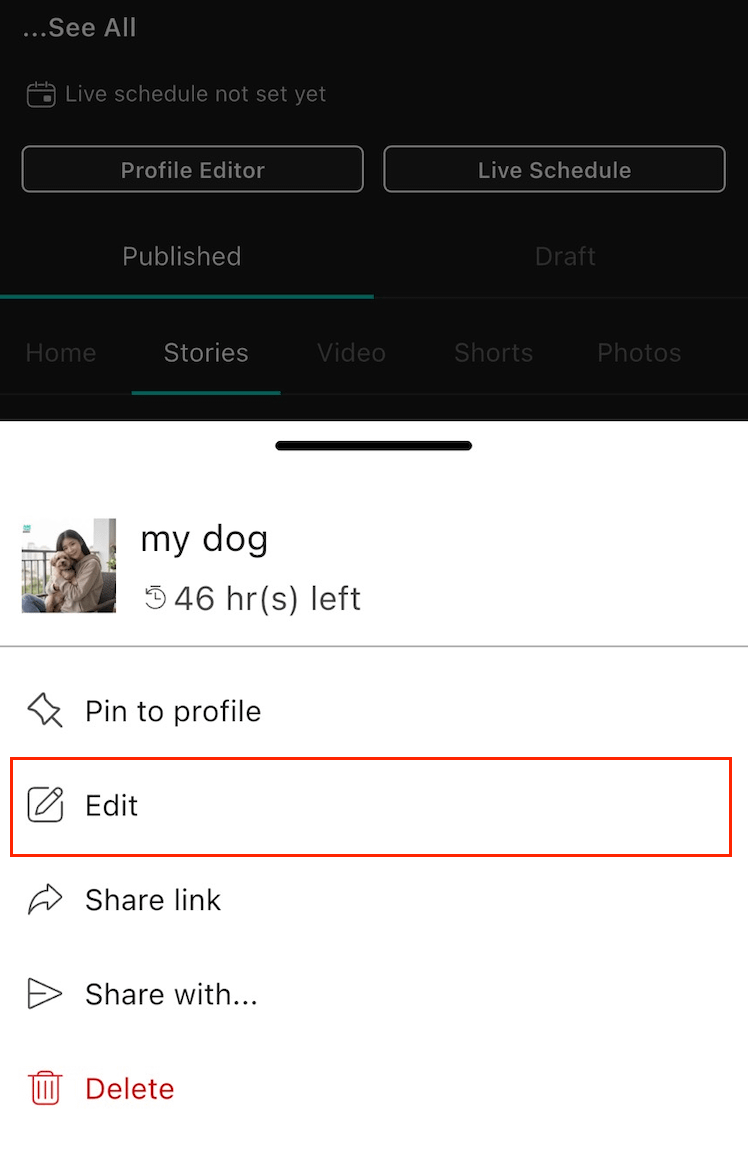
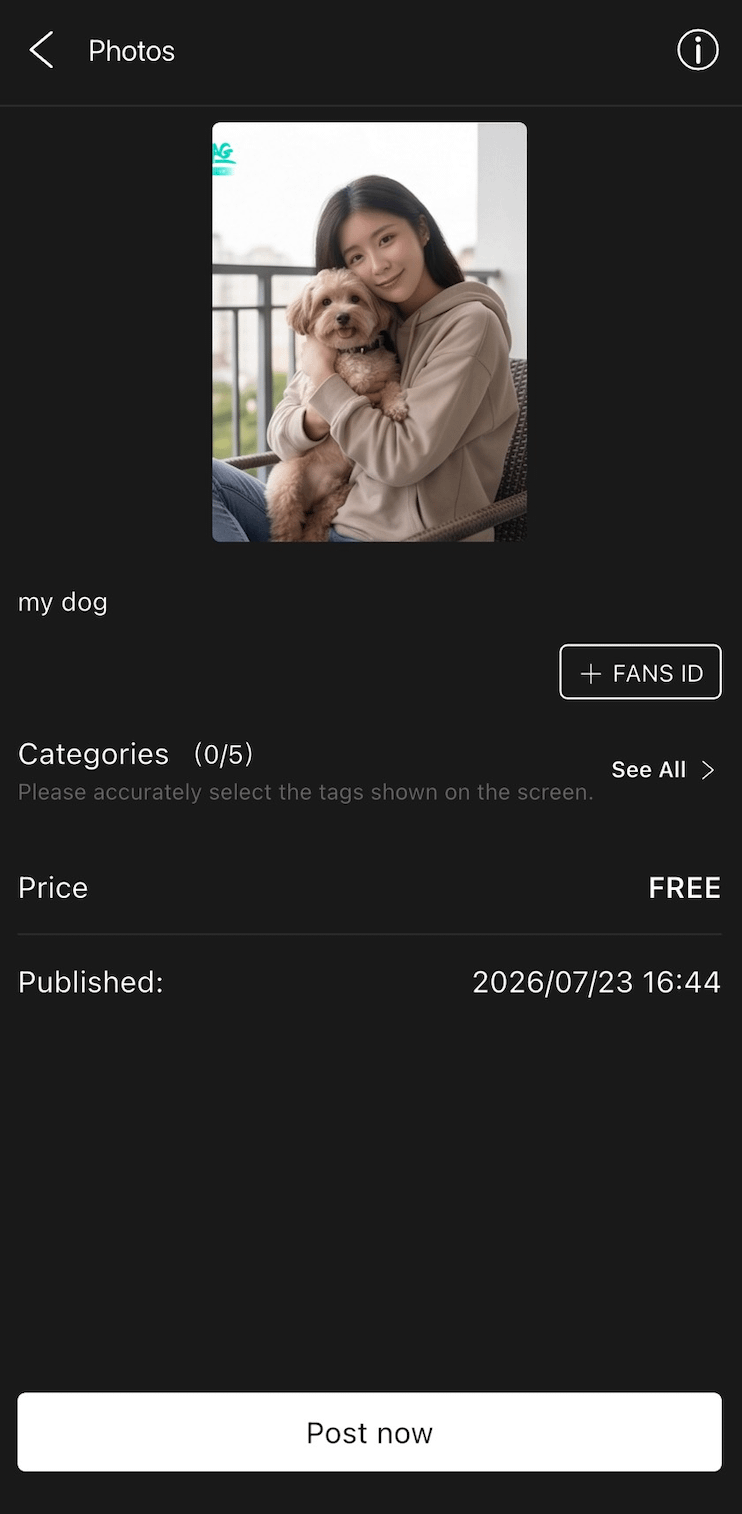
Open Menu & Edit: A pop-up menu will appear. Tap "Edit", make your changes on the page, and then tap "Post Now" to update your post!