
To help you build closer, warmer connections with your fans, our live room features have received a major upgrade! Starting now, live rooms support "2-Way Video Interaction"—fans no longer have to just type comments; you can now jump straight into face-to-face video chats!
✨ What does 2-Way Video bring to you?
Boost Live Room Popularity: 2-way chats dramatically enrich your stream's content and entertainment value, keeping fans in your room longer.
Double the Emotional Connection: See your fans' real-time reactions for genuine interactions, helping you cultivate super fans and high-value VIPs.
Hands-Free Performance: Focus entirely on your show or conversation without struggling to read comments while performing!
📖 Host Operation Guide
STEP 1|Complete Basic Settings
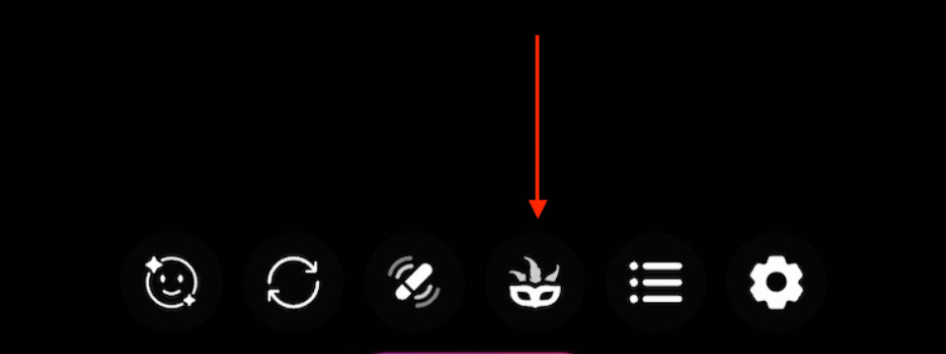
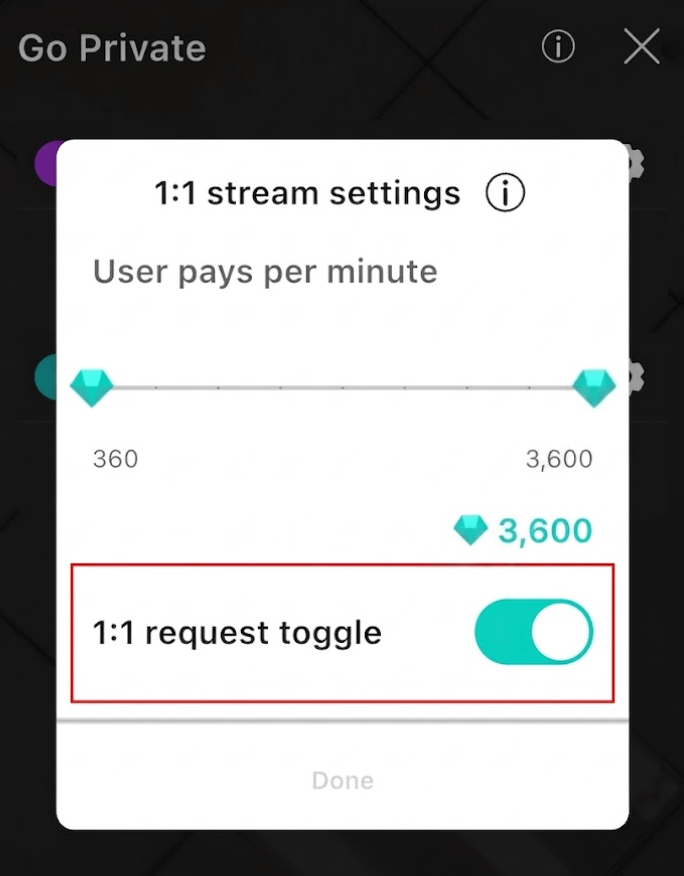
Open App ➔ Enter Live Room ➔ Tap "Performance Settings (Mask Icon)" ➔ Turn on "1:1 request toggle" ➔ Set "1:1 Diamond Price".
1-on-1 Diamond Rate: Set the rate from 360 to 3,600 diamonds per minute. The adjustment increment is 180 diamonds.
STEP 2|Accept Video Call Invitations
Wait for Invitations: This feature must be initiated by users; hosts cannot send invitations directly.
Receive Notifications: When a user sends an invitation, a pop-up alert will appear in the top-right corner of your live room.
Review Request: Hosts have 3 minutes to accept or decline (the system will automatically decline after 3 minutes).
Countdown Prep: Once accepted, a 1-minute countdown will begin to let you get ready.
STEP 3|Advanced Control Features
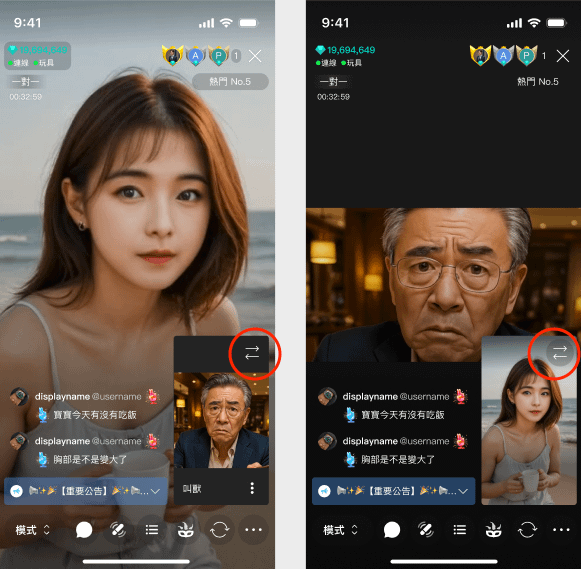
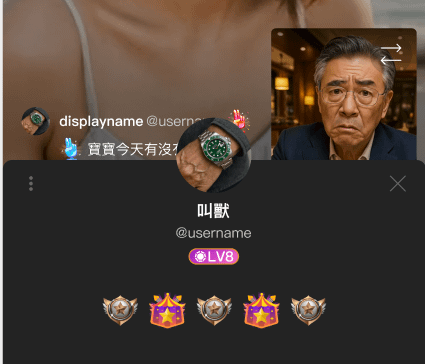
Switch Screen: Tap the "Arrow" icon at the top-right of the video screen to swap layout sizes.
Menu Options (Tap "
..."):
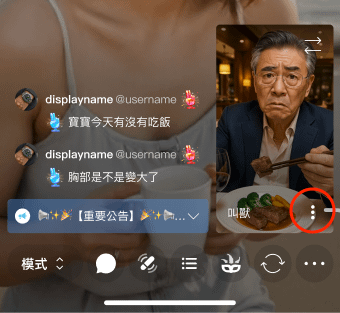
🙈 【Temporarily Hide Video】: Hide the user’s video.
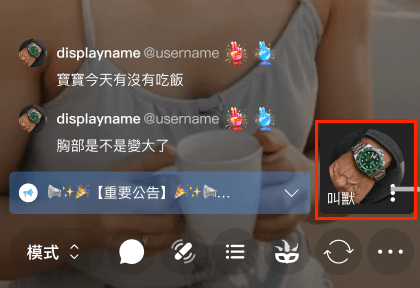
👤 【View User Profile】: Quickly browse the user's profile details.
Go turn on the "1-on-1 Invitation Switch" now and try out the brand-new 2-Way Video feature!
Wishing everyone a smooth stream and booming popularity! 💎🎉