Want more flexibility in scheduling your content?
The Scheduled Post feature allows you to plan ahead and set specific publish times for your posts or videos.
Even when you are offline, your content will go live automatically at optimal times, helping you manage your creation pace with ease and capture maximum fan engagement!
Step-by-Step Instructions
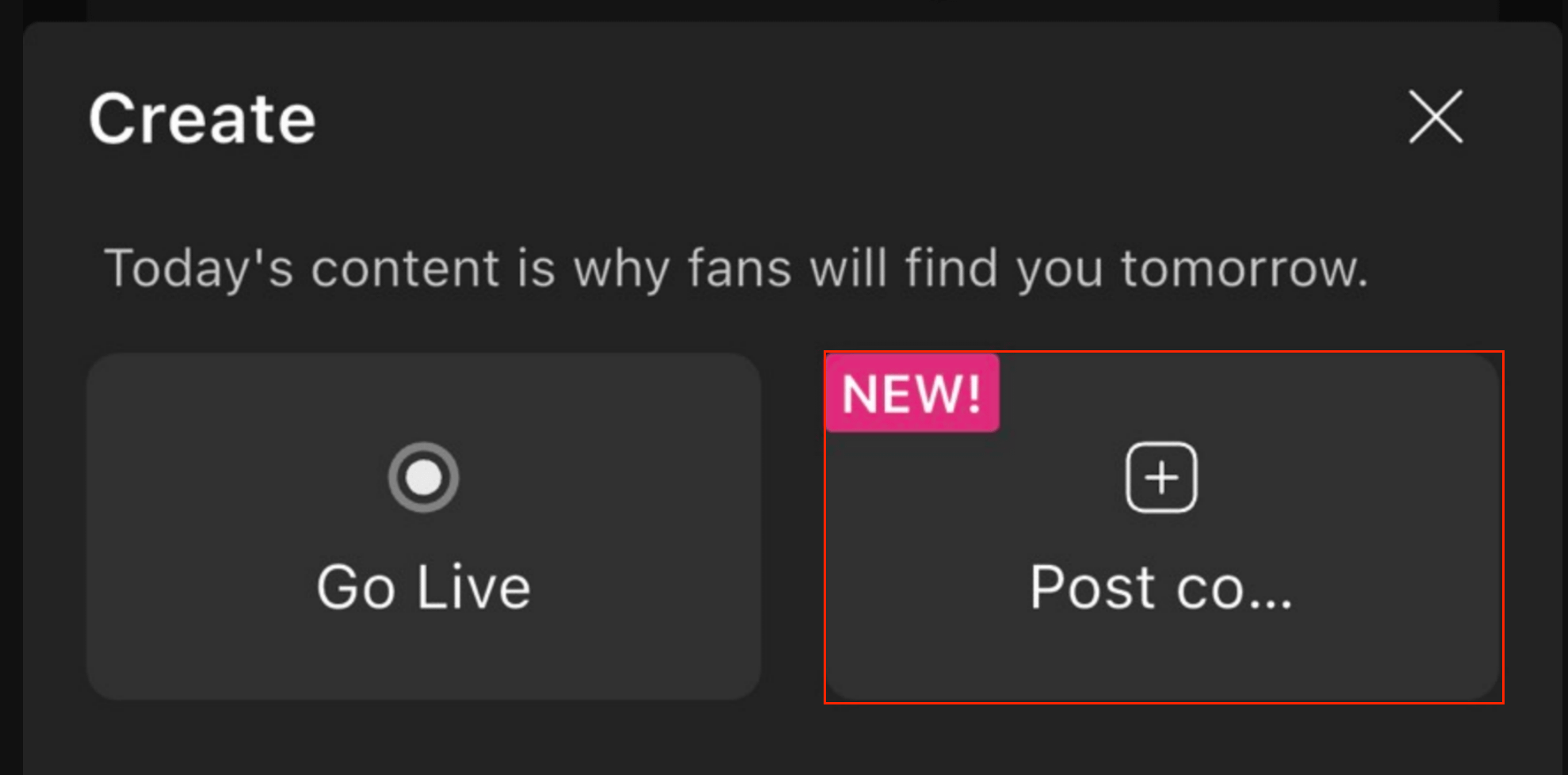
Open the Moor App and tap the "+" (Create) button at the bottom center of the screen to begin uploading content.
Select "Post Content" on the right.
Once on the "Post Content" page, select the media you wish to upload.
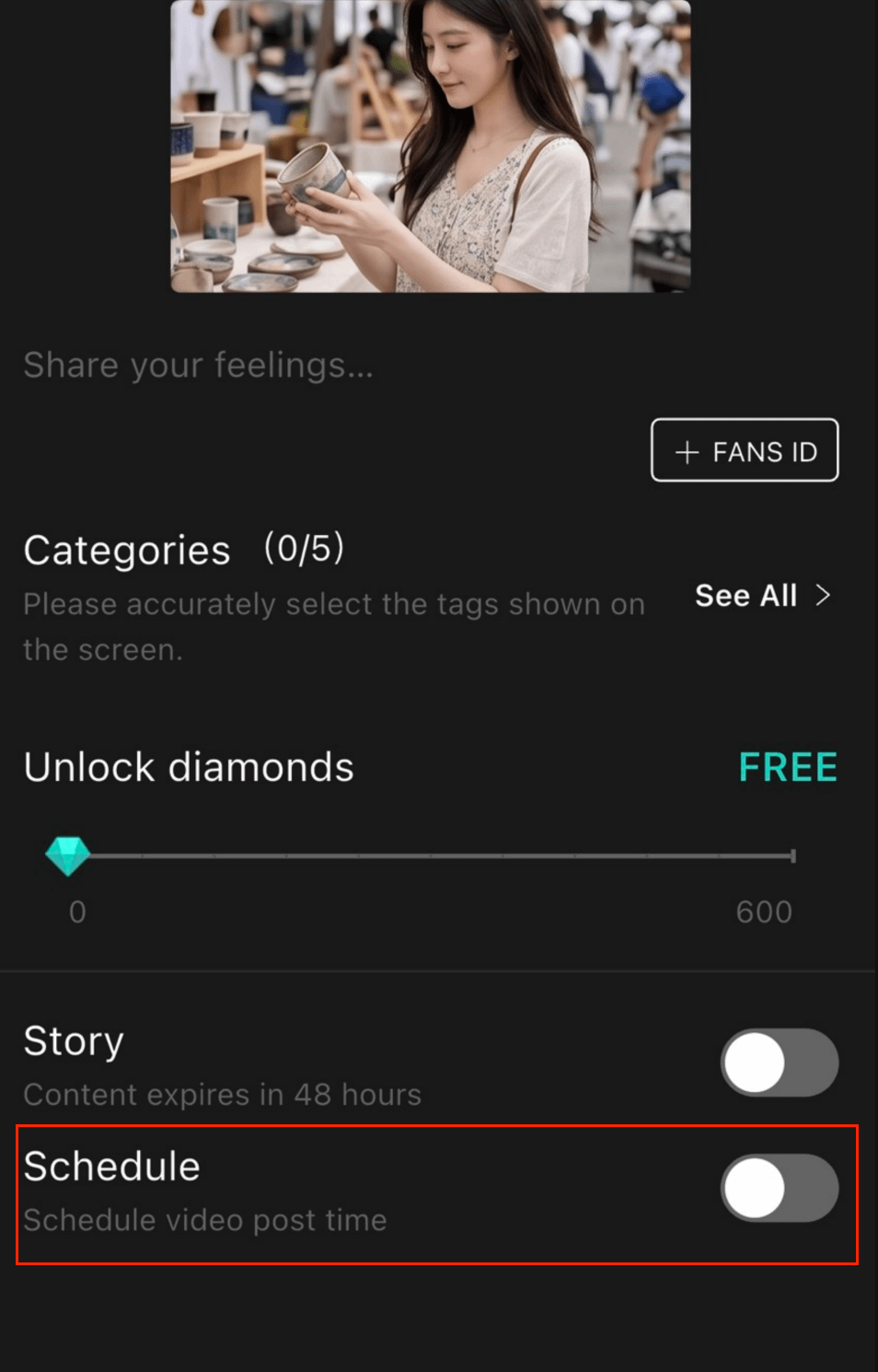
After selecting your content, toggle on "Schedule" at the bottom of the edit page to set your preferred publish time in advance.