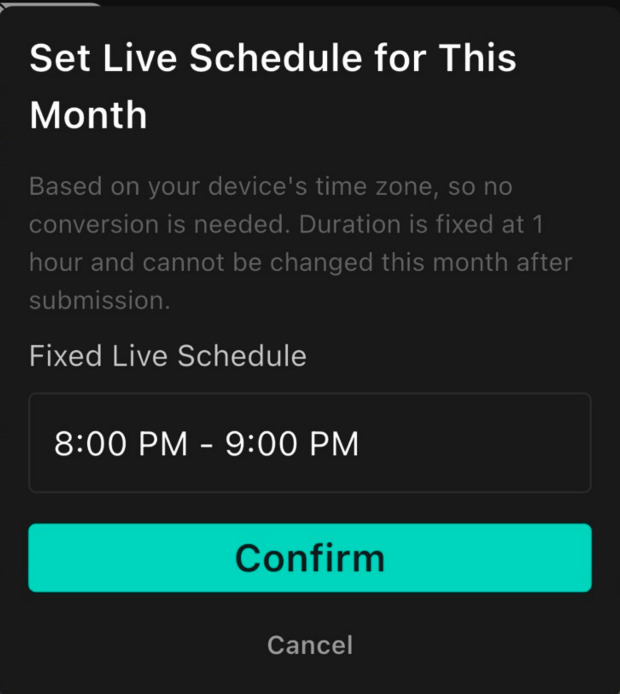
The Personalized Task "Set Monthly Fixed Live Stream Schedule" allows you to set regular broadcast times to help cultivate your audience's viewing habits, effectively boosting fan retention and engagement rates!
Important Notes
Setting Limit: Can only be set once per month, with reset available at the beginning of each month.
Time Zone Determination: The live stream time is based on the local time zone of your current device (no need to convert to Taiwan time zone when setting up).
Counting Criteria: The time slot must be set before starting the live stream. If configured after the stream begins, that broadcast will not count toward the Personalized Task progress.
Operating Steps
Open the mooor App.
Go to "Profile" in the bottom right corner of the page.
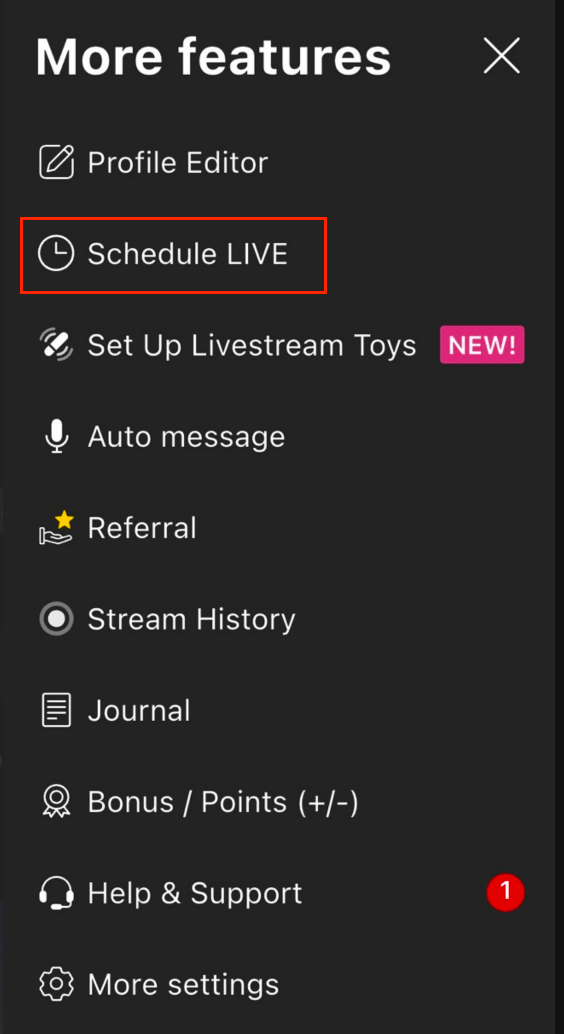
Open the "More Features" page and tap "Schedule LIVE".
Select and confirm your fixed live stream schedule for the month to complete setup.