Short Videos Feature Introduction: Build Your Personal Brand Highlight Reel
Many creators confuse "Short Videos" with "Stories." Short Videos are your most powerful tool for attracting new fans and building long-term exposure!
* Permanent Exposure & Long-Tail Traffic: Unlike Stories that automatically expire after 48 hours, Short Videos have no expiration time limit. Once uploaded, they will remain permanently on your profile page, serving as a 24/7 digital calling card to attract new fans (of course, you can manually take down or delete them anytime).
* The Perfect Stage for High-Quality Content: Short Videos are ideal for polished, eye-catching content with lasting appeal. Continuously building a collection of quality Short Videos gives new fans plenty to explore, significantly boosting their likelihood to follow and unlock your content!
📷 Media Specifications & Diamond Pricing
* Content Specifications: Upload a single photo or a 3–60 second short video.
* Diamond Unlock Settings: Set between 0 and 240 Diamonds (in increments of 60 Diamonds).
🚀 Step-by-Step Guide: Publishing Short Videos
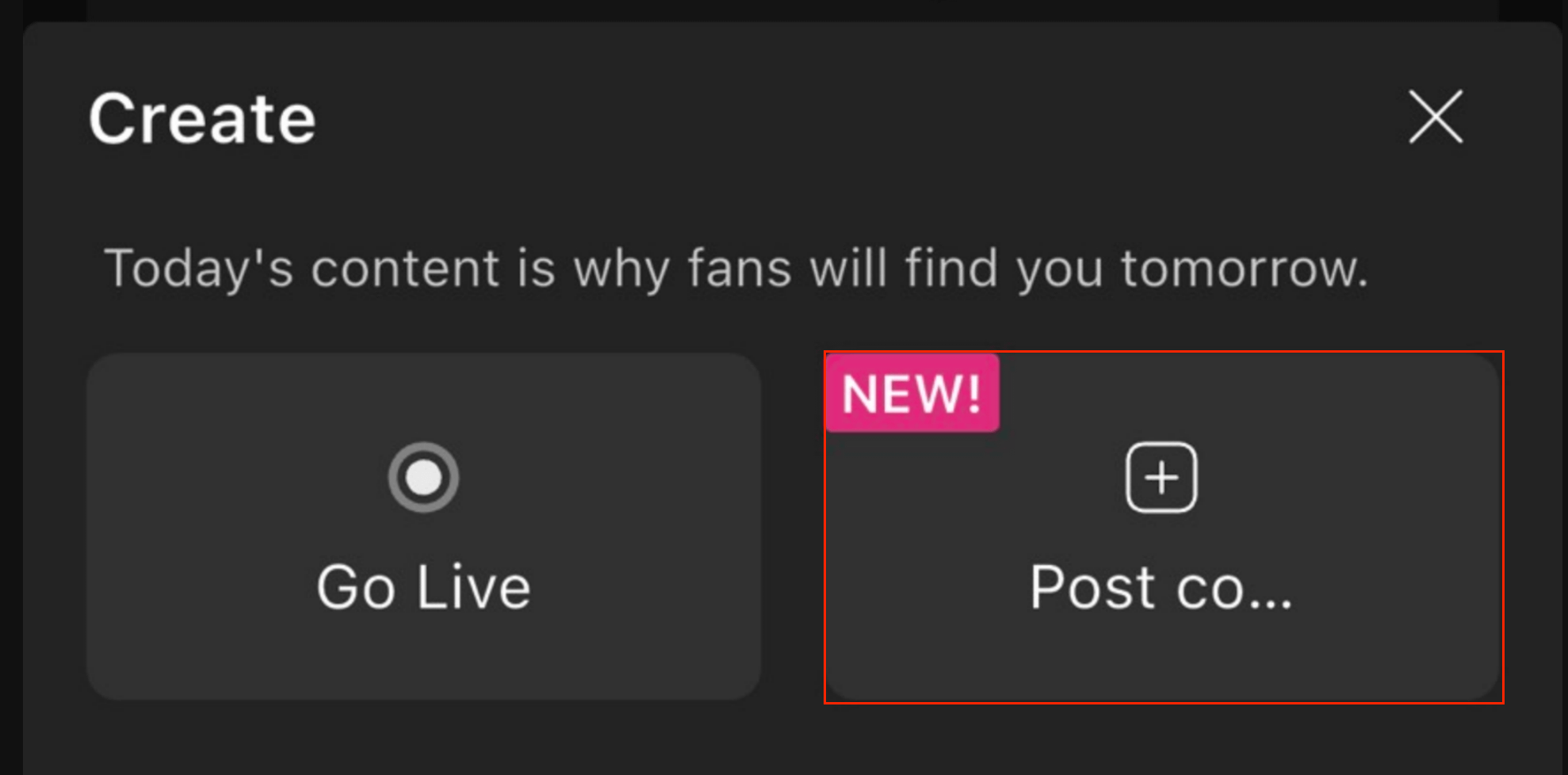
1. Open the Publishing Page: Open the Moor App, tap the "+" (Create) button at the bottom center of the screen, and select "Post Content".

2. Select Media: Choose a photo or a 3–60 second video clip.
3. Edit & Configure Content:
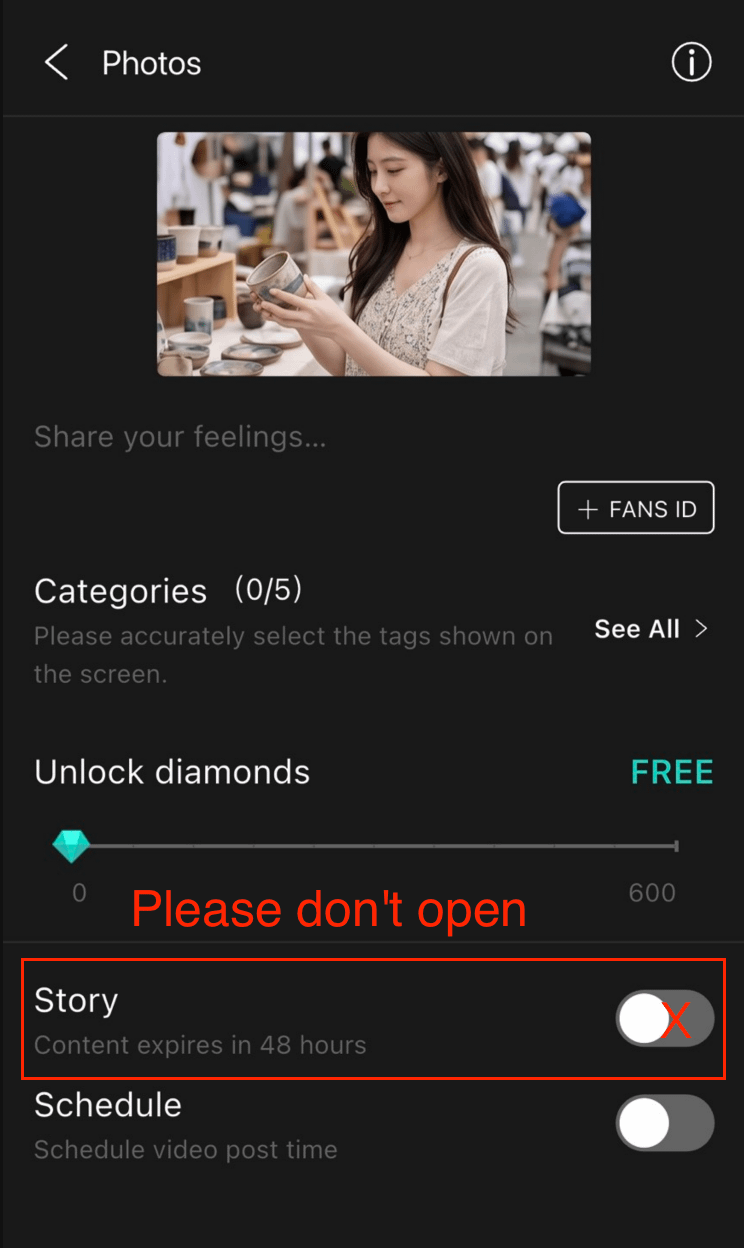
* Customize your cover image (capture a frame from your video) and add a caption.
* Select a relevant category (helps more users discover your content).
Set the Diamond unlock price from *0 to 240 Diamonds** (in increments of 60 Diamonds).
4. Keep Story Mode OFF: On the editing page, do not toggle on the "Story" switch.
⚠️ Important Notice: Toggling on the Story switch will publish your video as a "Story" instead of a Short Video!