
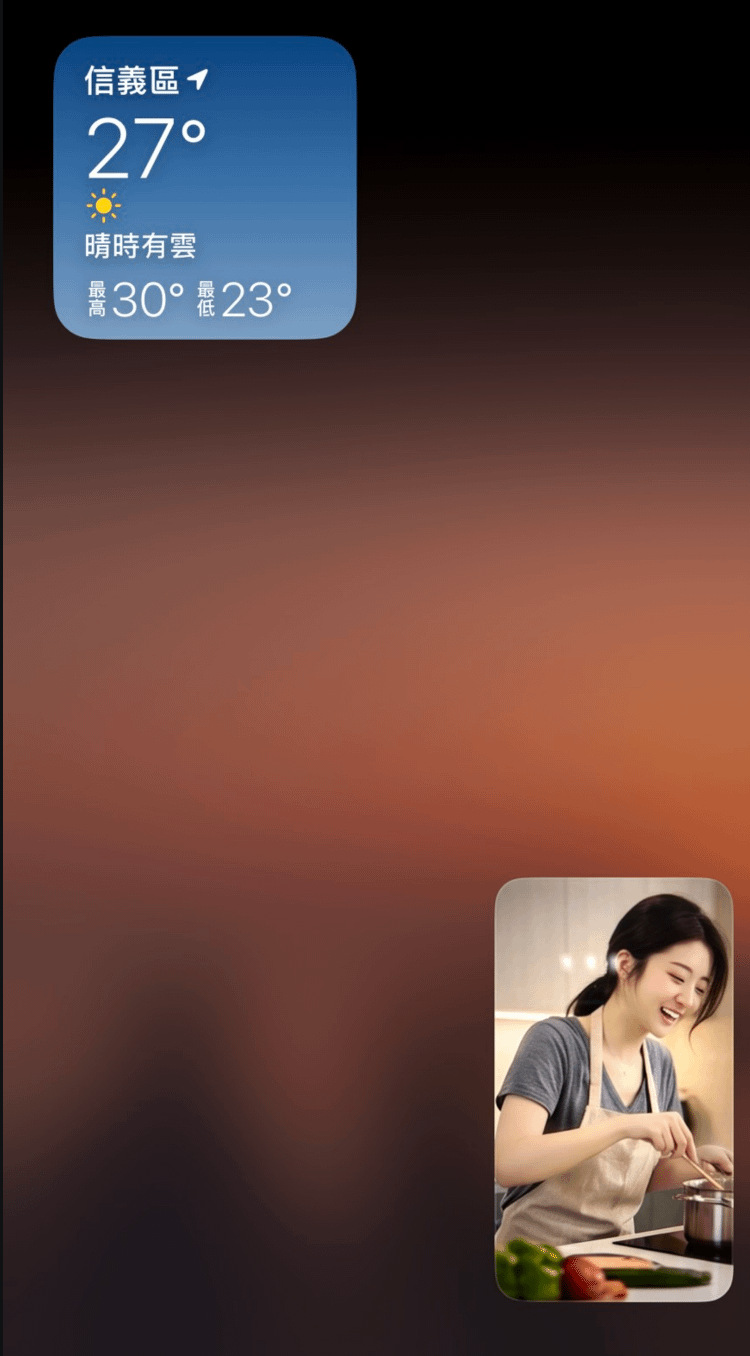
To provide a smoother broadcasting experience, Moor App now supports the "Picture-in-Picture (PiP)" feature exclusively for creators! In the past, when a streamer temporarily returned to the home screen, switched to another app, or replied to a message, the system would often pause the camera and microphone due to background permissions, causing the live stream to interrupt unexpectedly. Simply swipe up on the App to enable Picture-in-Picture mode! With Live Picture-in-Picture, the following issues are resolved:
Auto-Minimizing Window: When you temporarily leave the App, your live stream automatically shrinks into a floating window, continuously capturing your camera feed.
Seamless Audio & Video: Viewers will enjoy uninterrupted video and audio playback, ensuring a smooth streaming experience.
One-Tap Quick Return: Tap the floating window anytime to immediately return to the full broadcasting interface.
📌 Supported Versions & Scope
This feature is currently only available for Creators (Not supported on the audience side).
Requires iOS 18 or Android 8 (or above).
⚠️ Streaming Guidelines & Rules
Picture-in-Picture is designed to help streamers handle temporary emergencies—please do not stream in the floating window mode for your entire broadcast.
Stay focused while streaming; do not let the mini-window feature affect your interactive experience with viewers.
If reported by users for prolonged idling or lack of engagement and verified by official review, diamonds earned from that stream session will be refunded to users.
Let's work together to maintain a high-quality streaming environment!